
AI Kiss is not only a kiss generator. The same two photos can become a hug, a forehead kiss, a slow dance, a proposal, a high five or one of eleven other moments, or something you describe yourself. Every style gives you the same thing back: an MP4 with sound, 5, 10 or 15 seconds long, usually ready in under a minute.
No sign-up · Ready in under a minute · Runs in your browser
Sample AI Kiss output clip, looping. Tap the speaker to hear the sound it was generated with.
What you get
- Styles
- 15 + your own
- Same price
- For every style
- Clip length
- 5, 10 or 15 s
- Format
- MP4 with sound
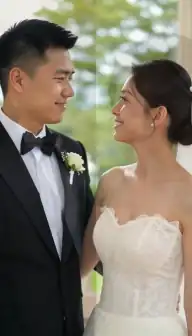
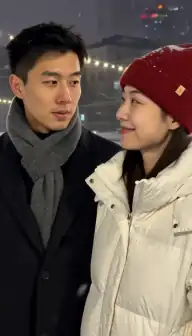

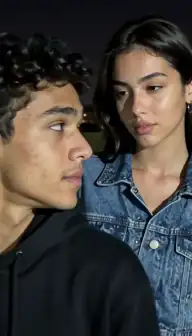
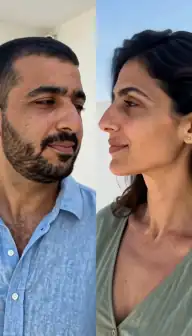



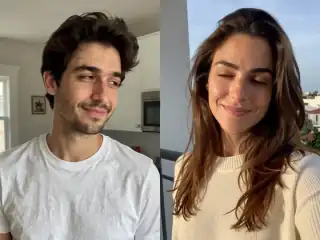
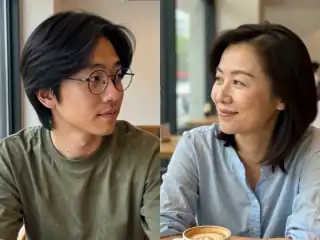
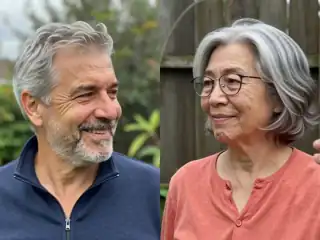
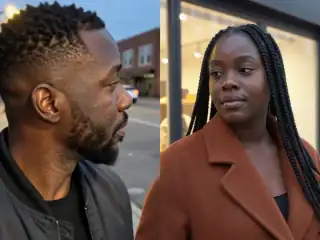
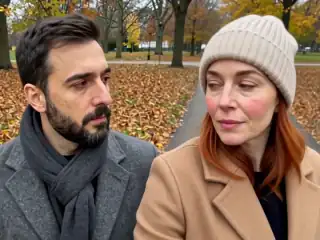
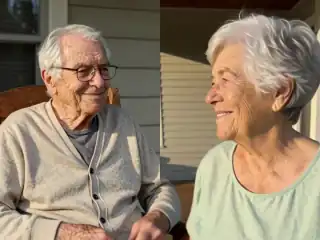
No account
No sign-up, no email, no password.
Photos stay yours
Used for your clip, then deleted.
Stripe checkout
Card details never reach us.
One-time payment
No subscription, nothing renews.
How it works
From two photos to a clip of 5, 10 or 15 seconds
Three steps in the browser. Generation usually takes under a minute.
- Step 1
Add the photos
One photo of each person, or one photo that already shows both of you. Faces towards the camera work best for every style.
- Step 2
Scroll the style row
Kiss, French kiss and Hug come first; the row scrolls sideways to the other twelve styles and to Custom at the end.
- Step 3
Choose the shape and the length
9:16 for Stories, Reels and TikTok, 4:3 for everything else, and 5, 10 or 15 seconds. The credit cost is shown on the button before you tap it.
- Step 4
Create, then try another style
The clip appears in My videos when it is ready. The photos stay in place, so making the same pair slow dance after they kiss is one more tap.
Details
Photo requirements
Most failed generations come down to the source photos, not the model. These are the ones that matter.
- One clear face per photo, or one photo with both faces clearly visible.
- Head and shoulders in frame for the styles that use arms: hug, cuddle, slow dance, hold hands.
- Eyes and mouth unobstructed for the kiss styles: no hands, straws or sunglasses over the face.
- JPG, PNG or WebP, the sharpest copy you have.
- Your own photos and adults who agreed to be in the clip. No minors, no public figures without consent.
The romantic styles
These are the moments people usually mean when they search for an AI kiss or couple video. The second column is what the clip shows, as it is described to the video model, so it is a fair picture of what you will get rather than a sales line.
| Style | What happens in the clip |
|---|---|
| Kiss | They turn towards each other, move close, share a soft kiss, then rest their foreheads together. |
| French kiss | They pull each other in for a longer, more passionate kiss. |
| Forehead kiss | One gently holds the other's face in both hands and kisses their forehead, both smiling. |
| Cheek kiss | One leans in with a quick, affectionate kiss on the cheek and the other laughs. |
| Hand kiss | One lifts the other's hand and kisses the back of it, looking into their eyes. |
| Cuddle | They settle close, one resting their head on the other's shoulder, arms around each other. |
| Slow dance | They take each other's hands and sway together, foreheads close, turning gently. |
| Hold hands | They reach for each other's hands, interlace their fingers and stand close, smiling. |
| Proposal | One drops to one knee and opens a ring box; the other gasps, nods yes and they embrace. |
The friendly styles
Not every pair is a couple. These styles are for friends, siblings, a parent and a grown-up child, or the hug your younger self trend, where nothing romantic should happen at all.
| Style | What happens in the clip |
|---|---|
| Hug | They step in and hold each other in a long, warm hug, eyes closed. |
| Selfie | They lean in cheek to cheek and pose for a selfie, one holding up a phone. |
| High five | They wind up and share an enthusiastic high five, then laugh. |
| Fist bump | They bump fists with a grin, then pull each other into a quick shoulder hug. |
| Laugh together | Something sets them off and they burst out laughing, leaning on each other. |
| Wave hello | They notice each other, light up and wave, then step closer with big smiles. |
Custom: describe the moment yourself
The last chip in the row is Custom. It opens a text box where you describe the action in your own words, between 3 and 200 characters, and that description replaces the built-in one. The two people, the frame, the length and the price stay exactly as they are for every other style.
What works is one continuous action that two people can do in a few seconds: "they clink champagne glasses and laugh", "she whispers something in his ear and he smiles". What does not work is a story with several scenes, a change of location, extra people, text on screen, or anything explicit, which the Terms rule out anyway. Write it the way you would describe a single shot to a camera operator.
Which style for which occasion
A rough guide, from what the styles actually show. None of it is a rule: the photos are the same, so trying a second style costs one more generation and nothing else.
- Anniversary or Valentine's Day: Kiss, Slow dance or Forehead kiss. See the anniversary video guide.
- Long-distance couples: Hug, Hold hands or Cuddle, which read as being together rather than as a performance. See long-distance couples.
- An engagement announcement or a joke proposal: Proposal.
- A parent, a sibling or a best friend: Hug, Selfie, Laugh together or Fist bump.
- A shy first video of a new couple: Cheek kiss or Hand kiss, which are gentler than a full kiss.
- One photo where you are already side by side: Selfie, Laugh together or Cheek kiss suit a pose that is already close. See one photo of you both.
What every style has in common
The style changes only the action. Everything else is shared: the same upload (two photos, or one with both people), the same frame shapes (4:3 and 9:16), the same lengths (5, 10 or 15 seconds), the same 768p MP4 with a sound track the model generates itself, and the same credit cost for a given length whichever style you pick.
Failures are handled the same way too. If a generation fails, the credits it used go back to your balance automatically, so a style that does not suit a particular pair of photos costs you a retry, not a purchase. The photo requirements guide explains the usual reasons a clip goes wrong.
Where the styles struggle
Hands are the hardest part of any AI video, so the styles built around hands (Hand kiss, Hold hands, High five, Fist bump, Proposal) are the ones most likely to show an odd finger or a ring box that changes shape. A photo with both arms visible helps; a tight face crop makes it worse.
Styles with big movement, like Slow dance and Laugh together, can drift further from the original faces than a still, close style like Forehead kiss, because more of the frame is invented. If likeness matters most, start with a close style, and read why an AI video may not look like you.
Consent & safety
An AI kiss video puts two real faces in a scene that never happened. That only works if everyone in the frame is fine with it, so these rules are not optional.
Only photos you are allowed to use
Use photos of yourself, or of people who agreed to appear in the video. No public figures without their consent.
No minors, ever
AI Kiss is for adults and the people they have permission to include. Photos of children are not allowed.
Nothing explicit
The generated clip is a short, PG-style kiss or hug. Sexual, hateful or harassing content is against the Terms.
Your files, your call
Photos are uploaded to generate the clip and videos are stored on your anonymous account. Ask us to delete them and we will.
Full detail lives in the Terms of Service and the Privacy Policy. Deletion requests go to privacy@aikiss.app.
FAQ
Questions people actually ask
What styles can AI Kiss make?
Can AI make two people slow dance from photos?
Is there an AI forehead kiss video generator?
Do some styles cost more than others?
Can I make a non-romantic video of two friends?
Can I write my own prompt?
Keep reading
Related pages
Other tools
From the blog
- 25 AI Kiss Video Ideas Worth Actually MakingTwenty-five AI kiss and hug video ideas grouped by occasion, each with a one-line tip on how to shoot or pick the two photos so the generation holds together.
- AI Kiss Photo Requirements: Why Generations FailFace size, angle, lighting, resolution, glasses and group shots decide whether an AI kiss video works. What to look for, why it matters, and a checklist.
- The Hug Your Younger Self AI Trend, ExplainedHow the hug your younger self AI trend works: one childhood photo, one recent photo, the Hug style, and the tips that make old scanned prints animate well.
Ready to try it?
Upload two photos, pick a style, and get a short clip back in under a minute.